
Meeting room double-booked again?
Give everyone one simple screen that shows exactly what's free and what's not. Book a room in seconds, with no clashes — and see at a glance how your rooms are really being used.
The problem it solves
The problem (you'll recognise this)
The meeting room is "booked" on a paper sheet, a shared calendar nobody checks, or whoever shouts first. Two teams turn up for the same room, the big room sits empty while everyone crams into the small one, and no one actually knows how often the rooms get used.
The fix
Meeting & Conference Room Booking gives everyone one clear schedule — and won't let a room be booked twice.
What it does
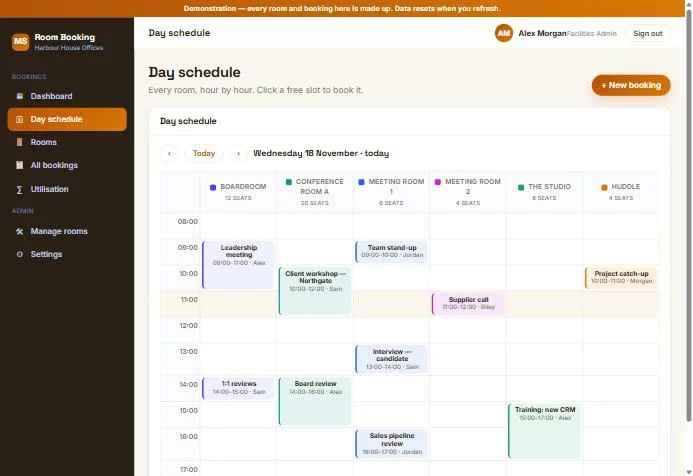
- Book on a day schedule — see every room hour by hour and tap a free slot to book it.
- No double-bookings — the system won't let two meetings land in the same room at the same time.
- Capacity you can trust — it flags if the room's too small for the number coming.
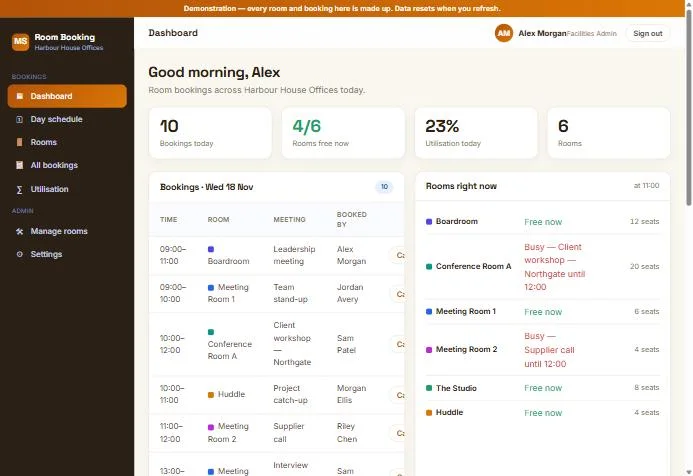
- See what's free right now — a quick view of which rooms are busy and which are free.
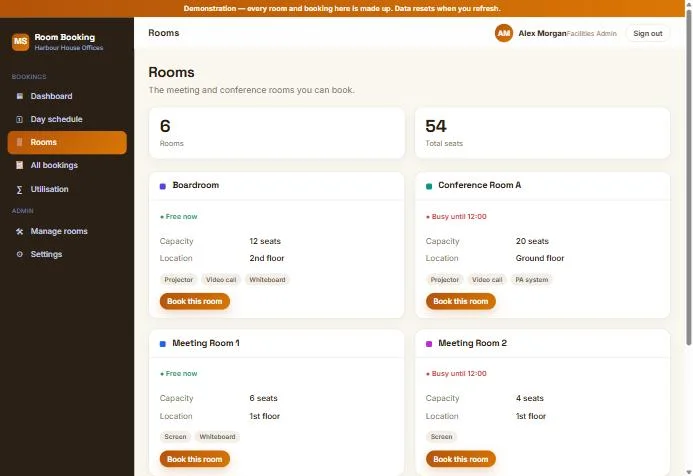
- Room facilities — projector, video call, whiteboard and more, so people pick the right room.
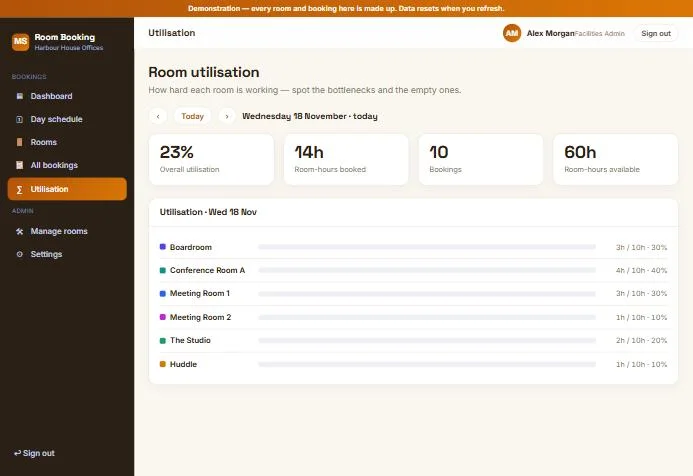
- Utilisation at a glance — see how hard each room is working, and spot the empty ones.
- Staff self-service — your team book their own rooms and see their bookings.
- An admin area to run it — add and edit rooms, capacity and facilities, and the booking settings.
- Works wherever you do — web-based, nothing to install. Windows, Mac or smartphone.
See it in action
Take a look at the Meeting & Conference Room Booking system — a live, working demo for a busy office with six rooms, and made-up bookings. Sign in as a facilities admin, reception or a staff member to see how each role uses it.
Try the live demo
Three roles to explore — the logins are shown on the sign-in screen, so you can just click one:
- Facilities Admin (manages rooms + settings) —
admin@example.com·admin-demo-2026 - Reception —
reception@example.com·reception-demo-2026 - Staff member —
staff@example.com·staff-demo-2026
Demo only — the rooms and bookings in it are made up, and the data resets on refresh.
Part of the Diaries range
Room Booking sits alongside our Staff Holiday Manager and Staff Rota & Shift Planner in the Diaries family — simple staff scheduling tools that share the same clean design, so once your team knows one they know them all.
Why MemorySmith
Straightforward software built for small businesses — no bloat, no features hidden behind a paywall, and real people to talk to. We're in Verwood, Dorset, and work with businesses across Dorset, Hampshire and Wiltshire, and remotely UK-wide.
Give us a call and we'll show you how it works
No more clashes, no more empty big rooms — just a schedule everyone can see.
Prefer we call you? Drop us your number and we'll be in touch.