Frequency: 5GHz: Up to 1201Mbps 2.4GHz: Up to 574Mbps
Button(s): Reset button on the underside
Antenna(s): 4 internal antennas per Deco unit
Dimensions: 110 x 114 mm
Security: WPA-PSK WPA2-PSK WPA3 SPI Firewall Access Control Blacklist
DHCP: “Server, Client”
Port/NAT Forwarding: Support
Management: “Local Management, Remote Management”
Additional Features: Router/ Access Point Mode Optional Ethernet Backhaul TP-Link Mesh Technology: MU-MIMO OFDMA 1024-QAM BSS Color Auto Path Selection Self-Healing AP Steering Band Steering Beamforming
.: Advanced Software Features: Homecare: Antivirus Parental Controls Quality of Service Speedtest Monthly Usage Reports Auto FW Update Expand Coverage by Adding more decos
Faster Connections: Wi-Fi 6 speeds up to 1,800 Mbps—1,201 Mbps on 5 GHz and 574 Mbps on 2.4 GHz.
Connect More Devices: OFDMA and MU-MIMO technology quadruple capacity to enable simultaneous transmission to more devices.
Boosted Seamless Coverage: Achieve seamless whole-home coverage with a clearer and stronger whole-home Wi-Fi signal generated by Wi-Fi 6.
Broad Coverage: Enjoy Wi-Fi coverage up to 530 m2 ( 3-pack) and expand it by just adding more Decos.
Ultra-Low Latency: Greater reduction in latency enables more responsive gaming and video chatting.
One Unified Network: Multiple units form a whole-home network that auto-selects the best connection as you move around your home.
Total Security: WPA3 encryption and TP-Link HomeCareTM provide personalized features, including Parental Controls, Antivirus, and Quality of Service (QoS) to ensure a safer online experience.
Setup Made Easier Than Ever: The Deco app walks you through setup step-by-step.
Advanced Mesh Powered by Wi-Fi 6
Armed with Wi-Fi 6 technology, Deco whole home mesh Wi-Fi is designed to deliver a huge boost in coverage, speed, and total capacity. Get on the latest mesh Wi-Fi to enjoy the future network that loads faster and connects more
Wi-Fi Dead Zone Killer
With clearer and stronger signals enhanced by BSS Color and Beamforming, Deco X20 boosts broader whole-home Wi-Fi up to 530 m2 (3-pack). Wireless connections and optional Ethernet backhaul work together to link Deco units, providing even faster network speeds and truly seamless coverage. Want more coverage? Simply add another Deco.
True Seamless Roaming for Greater Experiences
TP-Link Mesh means Deco units work together to form one unified network. Your phone or tablet automatically connects to the fastest Deco as you move through your home, creating a truly seamless Wi-Fi experience.
More Connections for Immersive Streaming
Enjoy a more efficient network with 4x the average throughput on connected devices in dense environments thanks to Wi-Fi 6 technology. Deco X20 is tested to connect over 150 devices without dragging down performance.
Faster Wi-Fi 6 Speed = No Wait
The latest 1024-QAM and higher symbol rate combines to boost speeds up to 1.8 Gbps—ideal for bandwidth-intensive tasks like cloud gaming and 4K UHD video. Families will enjoy immersive live-streaming with flawless video and clear audio without buffering.
Greatly Red uced Lag, More Fun
Wi-Fi 6 brings stable and responsive Wi-Fi connections to tomorrow's hyper-connected home. Enjoy more responsive gaming and seamless video chatting even when multiple compatible devices are connected and transmitting data at the same time.
Your Home, Our Care
Customize your home network with enhanced security using a kit of features built in TP-Link HomeCareTM. Whether protecting your sensitive data or limiting the access of kids and guests, HomeCareTM provides you the tools you need to fully manage your network.
Robust Parental Controls
Block inappropriate content and restrict time spent online
Built-In Antivirus
Protect all connected devices in your home from online threats
Quality of Service
Prioritize devices and applications for faster performance when needed
Setup Just Got a Lot Easier
Unbox Deco, install the app and then simply follow the on-screen directions. Deco app will take care of the rest, getting your network up and running in minutes.
Wi-Fi Made Easy
Easy Management
Manage your Wi-Fi at home or away on the Deco app, including seeing all connected devices, prioritizing your own, setting up a guest network, and more.
Voice Control
Pair with Alexa to control Deco X20 with simple voice commands. Enjoy the convenient life.
All Decos Work Together
Deco X20 is compatible with every other Deco model to form a mesh network. Expand mesh Wi-Fi coverage anytime by simply adding more Decos.
Parental Control: Parental Control Customized Internet schedule Max Parental Control profile: 16 Max Parental Control content filter rule: 16
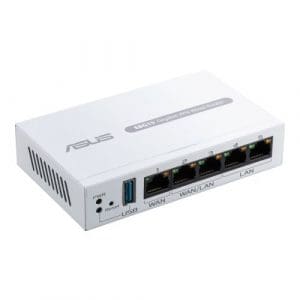
AiProtection Pro: Router Security Assessment Malicious site blocking Two-Way IPS Infected Device Prevention and Blocking”
DHCP: DHCP Server
Port/NAT Forwarding: Yes Maximum port forwarding rule: 64
VPN Support: VPN Client L2PT VPN Client OVPN VPN Client PPTP VPN Server IPSec VPN Server OVPN VPN Server PPTP VPN Fusion
Management: ASUS Router APP
Dynamic DNS: Yes
USB Application: “File System: HFS+, NTFS, vFAT, ext2, ext3, ext4 HDD hibernation Safely Remove disk AiCloud Download master AiDisk Media Server Time Machine Samba Server FTP Server Shared Folder privileges VPN Fusion”
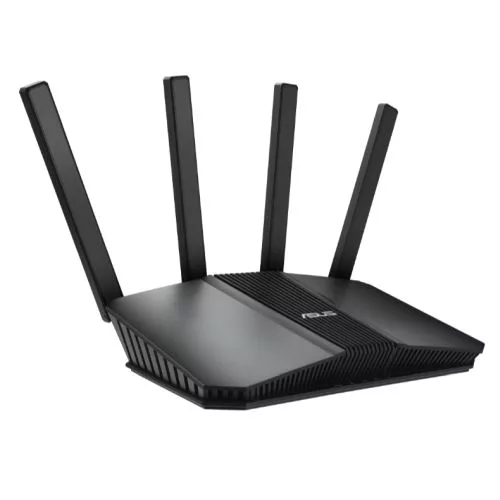
Security: AiProtection Pro VPN Lets Encrypt DNS-over-TLS SSH Firewall Web & Apps Filters Time Scheduling Safe Browsing Customized Internet Schedule Max Device Access Control Profile: 12 Max Device Access Control Content Filter Rule: 12 Self-Defined Network Max Self-Defined Network Rule :16 VLAN Bandwidth Limiter AP isolate DNS Server Connection
DHCP: DHCP Server
Port/NAT Forwarding: Port Forwarding Max Port Forwarding Rule : 64
VPN Support: VPN Client L2PT VPN Client Open VPN VPN Client PPTP VPN Client WireGuard VPN Server IPSec VPN Server Open VPN VPN Server PPTP VPN Server WireGuard VPN Fusion Support Surfshark
Management: Web: ASUSWRT App: ASUS ExpertWiFi APP Multiple Site Management
Dynamic DNS: DDNS
USB Application: 4G / 5G Auto Mobile Tethering Safely Remove Disk Media Server Samba Server FTP Server Shared Folder Privileges
Additional Features: “1.8GHz Dual-core ARMv8 CPU 256 MB Flash 512 MB RAM Connection Type (PPPoE, PPTP, L2TP, Auto IP, Static IP, IPSec Dual WAN Multi WAN Group WAN Aggregation Port Triggering (Max Rule: 32) DMZ NAT Passthrough IGMP Snooping IPTV LAN Link Aggregation Manually Assign IP Address Wake on LAN (WOL) VLAN”
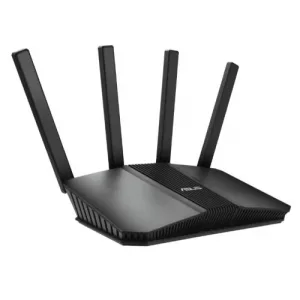
Port/NAT Forwarding: Port forwarding Maximum Port Forwarding Rule : 64
VPN Support: Instant Guard VPN Client L2TP VPN Client Open VPN VPN Client PPTP VPN Client WireGuard VPN Server IPSec VPN Server Open VPN VPN Server PPTP VPN Server WireGuard
Management: WEB: ASUSWRT APP: ASUS Router APP
Dynamic DNS: DDNS
USB Application: “4G / 5G Auto Mobile Tethering File System : HFS+, NTFS, vFAT, ext2, ext3, ext4 Safely Remove Disk AiCloud Download Master AiDisk Media Server Time Machine Samba Server FTP Server Shared Folder Privileges”
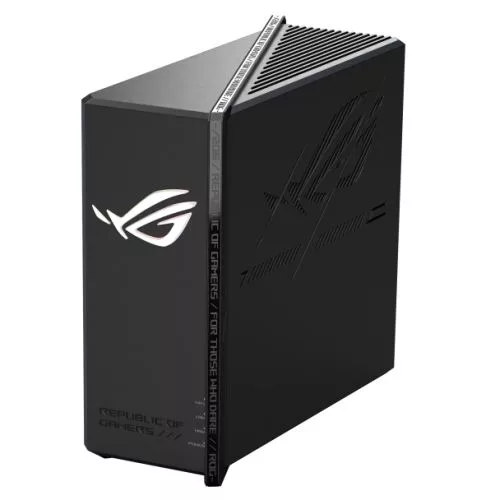
Button(s): “WPS Button, Reset Button, Power Button”
Power Supply: AC Input: 110V~240V(50~60Hz) DC Output: 12 V with max. 5 A current / 12 V with max. 3 A current
Antenna(s): 8 x Internal Antennas
Dimensions: 350.41 x 350.41 x 220.6 mm
Wireless Features: Router(AiMesh router) mode AiMesh node mode Access point mode Repeater mode Media bridge mode MU-MIMO UTF-8 SSID WiFi MAC Address Filter (Max 64) Wireless Scheduler Wi-Fi Radar Airtime Fairness RADIUS Client Universal Beamforming Explicit Beamforming OFDMA (Orthogonal Frequency Division Multiple Access) Beamforming: standard-based and universal 4096-QAM high data rate 20/40/80/160/320 MHz bandwidth
Security: AiProtection VPN WPA/WPA2/WPA3 Personal WPA/WPA2/WPA3 Enterprise Open System & OWE WPS Lets Encrypt DNS-over-TLS SSH Security Scan Firewall
DHCP: DHCP Server
Port/NAT Forwarding: Port Forwarding Maximum Port Forwarding Rule : 64
VPN Support: Instant Guard VPN Client L2TP VPN Client Open VPN VPN Client PPTP VPN Client WireGuard VPN Server IPSec VPN Server Open VPN VPN Server PPTP VPN Server WireGuard VPN Fusion
Management: WEB: ASUSWRT APP: ASUS Router APP Operating system : ASUSWRT
Dynamic DNS: DDNS
USB Application: “4G / 5G Auto Mobile Tethering File System : HFS+, NTFS, vFAT, ext2, ext3, ext4 Safely Remove Disk AiCloud Download Master AiDisk Media Server Time Machine Samba Server FTP Server Shared Folder Privileges”
Additional Features: 2.0GHz quad-core processor 256 MB Flash and DDR4 2 GB RAM IPTV Adaptive QoS Traditional QoS Traffic Monitor Traffic Analyzer Guest Network Game Boost / Acceleration Mobile Game Mode Gear Accelerator ROG_First OpenNAT (Game Profile) Gaming Port Gaming Network Aura RGB lighting effects
To provide the best experiences, we use technologies like cookies to store and/or access device information. Consenting to these technologies will allow us to process data such as browsing behaviour or unique IDs on this site. Not consenting or withdrawing consent, may adversely affect certain features and functions.
Functional
Always active
The technical storage or access is strictly necessary for the legitimate purpose of enabling the use of a specific service explicitly requested by the subscriber or user, or for the sole purpose of carrying out the transmission of a communication over an electronic communications network.
Preferences
The technical storage or access is necessary for the legitimate purpose of storing preferences that are not requested by the subscriber or user.
Statistics
The technical storage or access that is used exclusively for statistical purposes.The technical storage or access that is used exclusively for anonymous statistical purposes. Without a subpoena, voluntary compliance on the part of your Internet Service Provider, or additional records from a third party, information stored or retrieved for this purpose alone cannot usually be used to identify you.
Marketing
The technical storage or access is required to create user profiles to send advertising, or to track the user on a website or across several websites for similar marketing purposes.